Click the shape, get the control

Am_Picker is a graphical animation picker for Autodesk Maya. A rigger draws the control layout once — shapes, colours, the character’s own artwork — and from then on the whole team animates by clicking it, instead of hunting for a curve in the viewport or a name in the Outliner.

Version 1.0.0-beta.1 1.8 MB MIT licence No account required

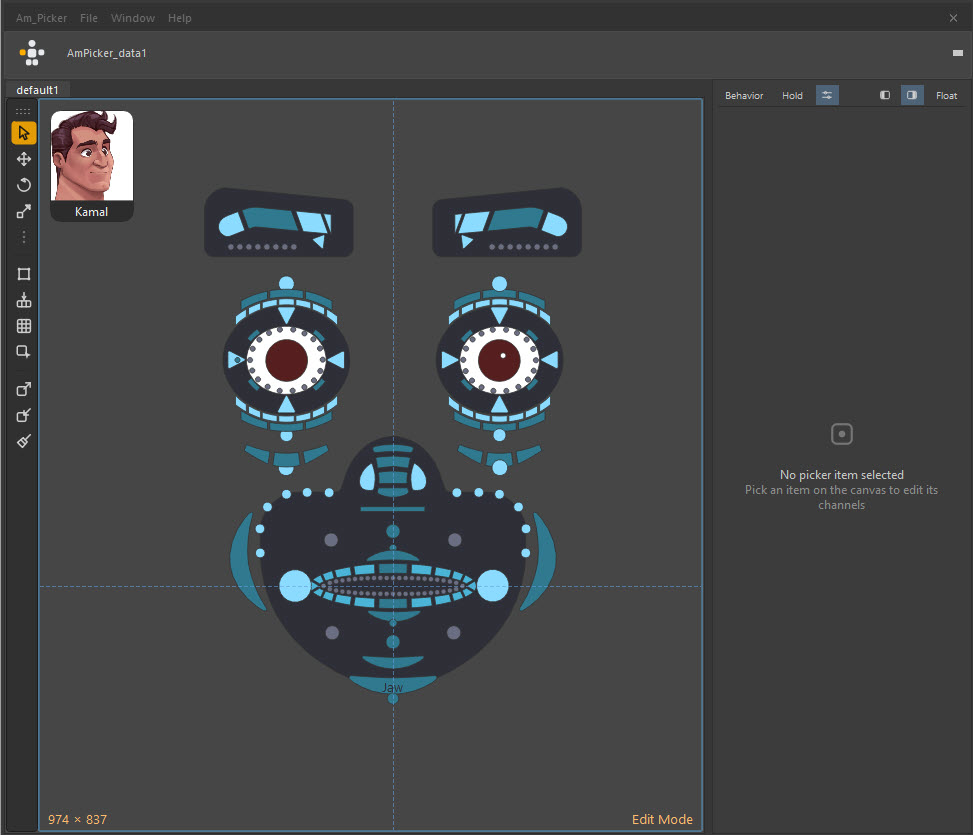
The Am_Picker window in Edit mode: a face picker built from blue and grey shapes, the character avatar in the top-left corner, the drawing tool strip down the left edge, and the Picker Channel Box docked on the right.
Price
FreeMIT licence
Maya
2022 – 2026Win · macOS · Linux
Qt
PySide2 + PySide6whichever Maya ships
Dependencies
NoneNumPy optional
Install
Drag one fileinto a viewport

[ THE PROBLEM ]

Selecting a control shouldn't be the hard part

Without a picker

  • A face rig has two hundred controls, and half of them are behind the mesh.
  • Animators zoom, orbit and isolate just to reach a curve they already know the name of.
  • The Outliner is a list of names, not a picture of a character — so you search it by memory.
  • Every new animator on the show learns the rig’s geography before they animate a frame.
  • Reference a second copy of the character and the whole selection habit breaks.

With Am_Picker

  • The rigger draws the layout once, in the shape of the character.
  • Everyone else clicks the picture. The control selects; the shape lights up.
  • One picker file drives every referenced copy of that rig — binding stores no namespace.
  • The picker is a node inside the Maya scene, so it travels with the shot.
  • Nothing to learn: if you can see the character, you can select it.
  • And it is free, MIT licensed, with nothing to activate.

[ FEATURES ]

Everything that ships in the box

No add-ons, no tiers, no upsell. Hover a card to read what it does.

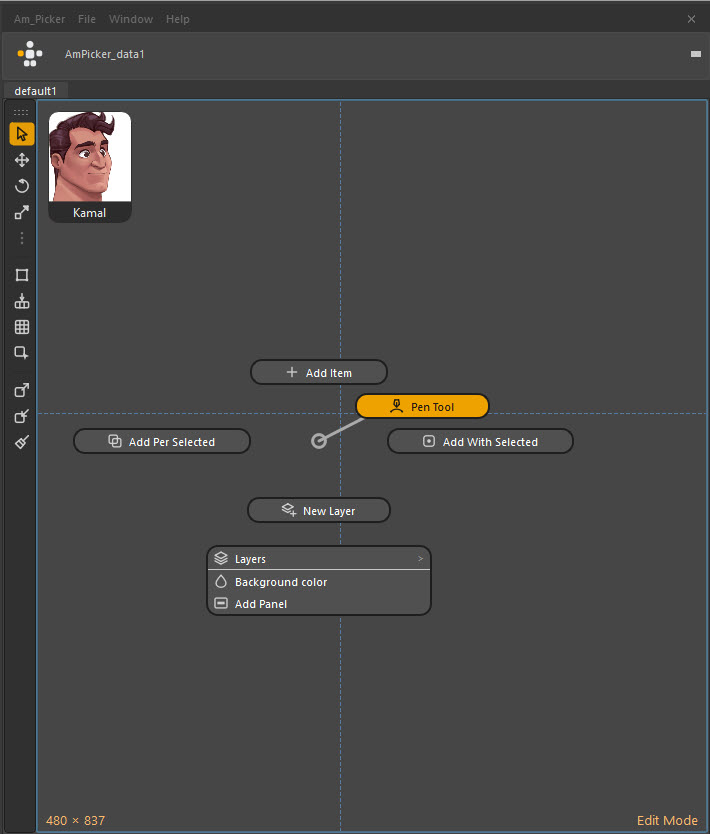
The Edit-mode canvas right-click menu, listing the drawing tools including the Pen Tool.

Pen tool

N
Pen tool

Drop anchors one at a time, drag to pull a curve out of a corner, click the first anchor to close. Shift gives a corner that curves on one side and stays straight on the other — and that split survives saving.

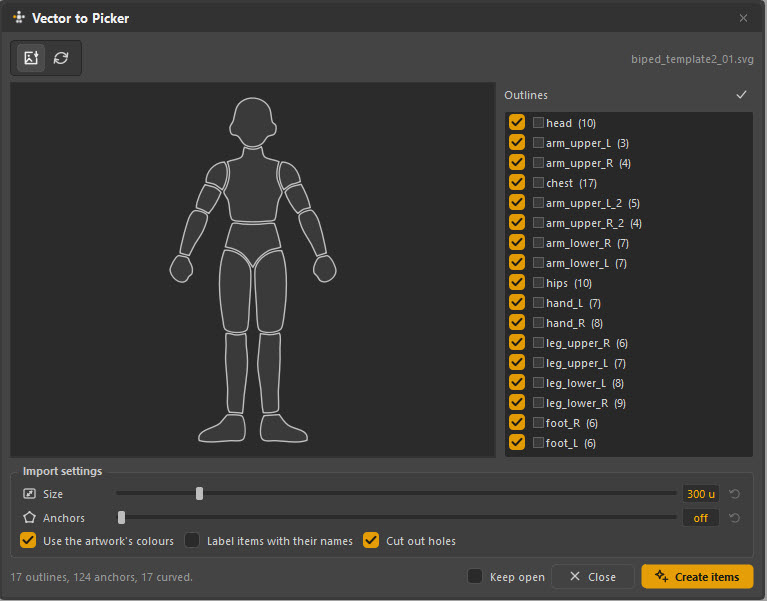
The Vector to Picker dialog previewing every outline found in an imported SVG of a biped template.

Vector to Picker

SVG
Vector to Picker

Import SVG from Illustrator, Affinity, Figma or Inkscape. Each outline becomes a picker item with its curves — not a straight-edged tracing. Names, fills and stacking order come from the file.
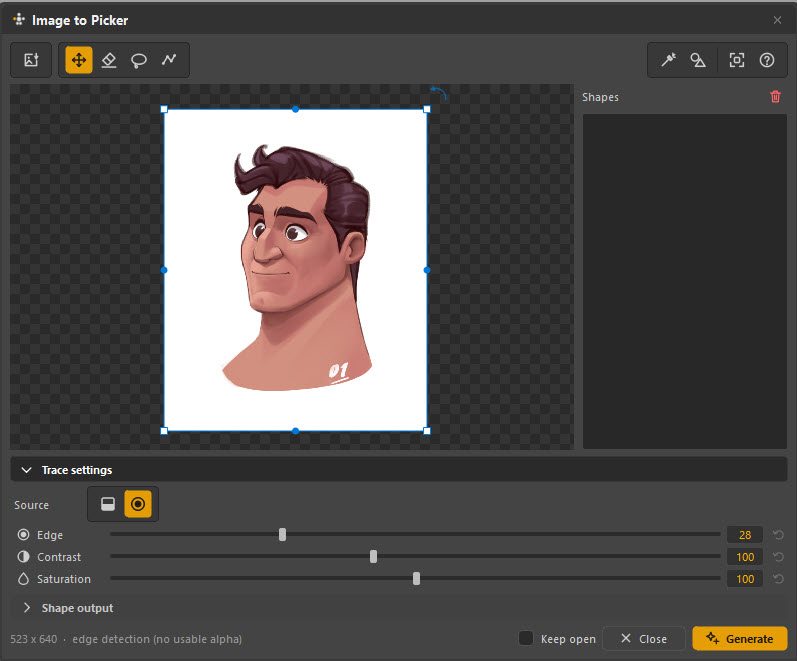
The Image to Picker dialog tracing a character portrait into picker shapes.

Image to Picker

TRACE
Image to Picker

Turn a bitmap silhouette into shapes by edge detection. Extra detection modes when OpenCV is present; it degrades gracefully when it isn't.
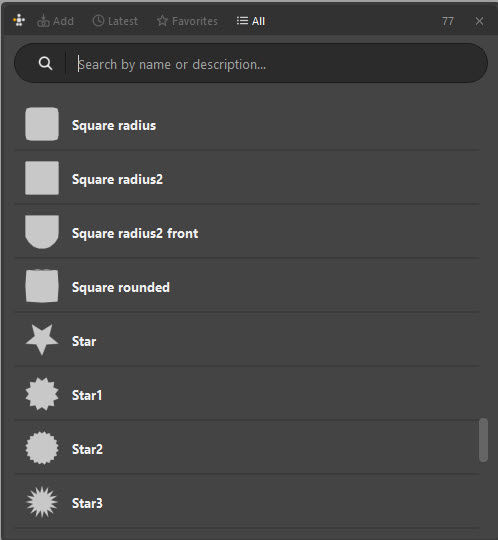
The shape library browser showing thumbnails of the preset picker shapes that ship with the tool.

Shape library

PRESETS
Shape library

Ship-with presets for the shapes every rig needs, with thumbnails — plus anything of your own you save into it.
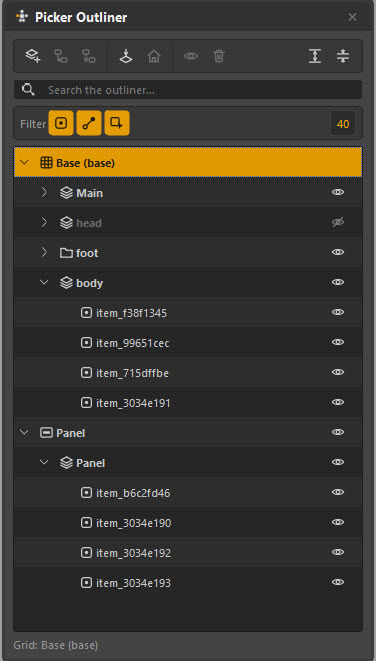
The picker outliner listing layers and items with visibility and lock toggles.

Layers & outliner

ORDER
Layers & outliner

A real outliner for the canvas: reorder, group, rename, lock and hide. A two-hundred-item picker stays navigable.
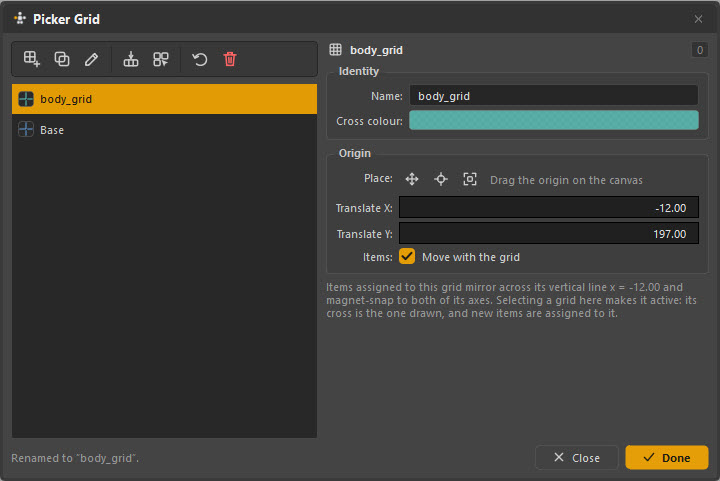
The picker grid settings, with a snapping grid drawn across the canvas in Edit mode.

Tabs, panels & grids

CTRL+TAB
Tabs, panels & grids

One tab per page — body, face, props — each with its own layers, grids, bookmarks and background art. The switcher shows live thumbnails and jumps with 1–9.
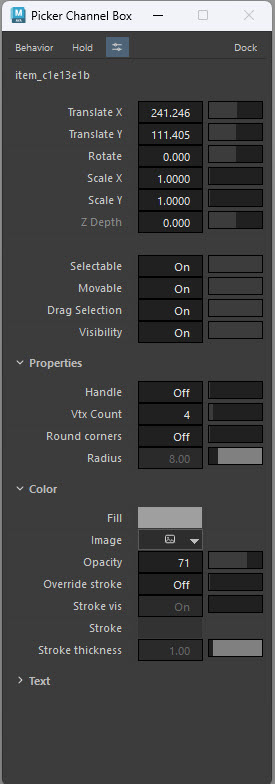
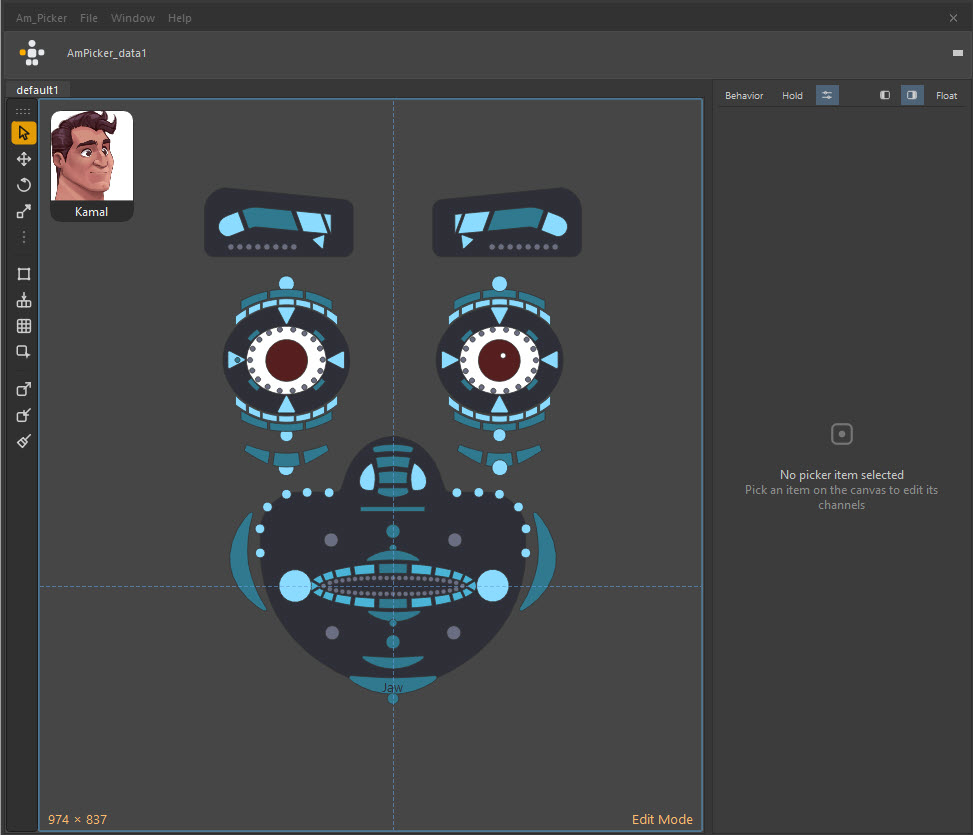
The Picker Channel Box docked beside the canvas, showing the channels of the selected picker item.

Picker Channel Box

DOCKED
Picker Channel Box

Edit the selected item's channels without leaving the picker window, docked on the right in Edit mode.
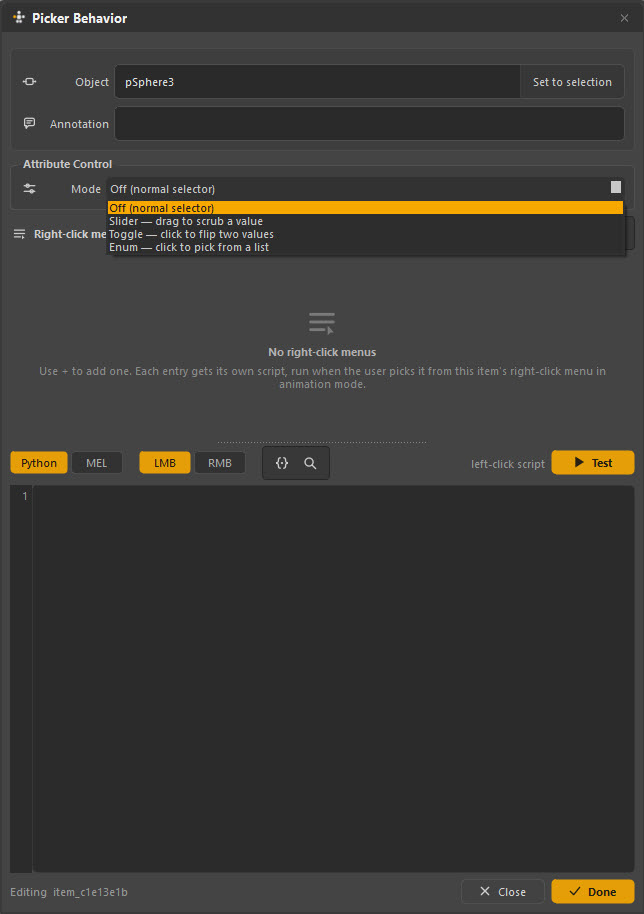
The picker item behaviour panel configuring an item to drive a Maya attribute as a slider, toggle or enum.

Attribute control

IK/FK
Attribute control

An item can be a slider, a toggle or an enum that drives a Maya attribute directly — IK/FK blends and space switches without touching the Channel Box.
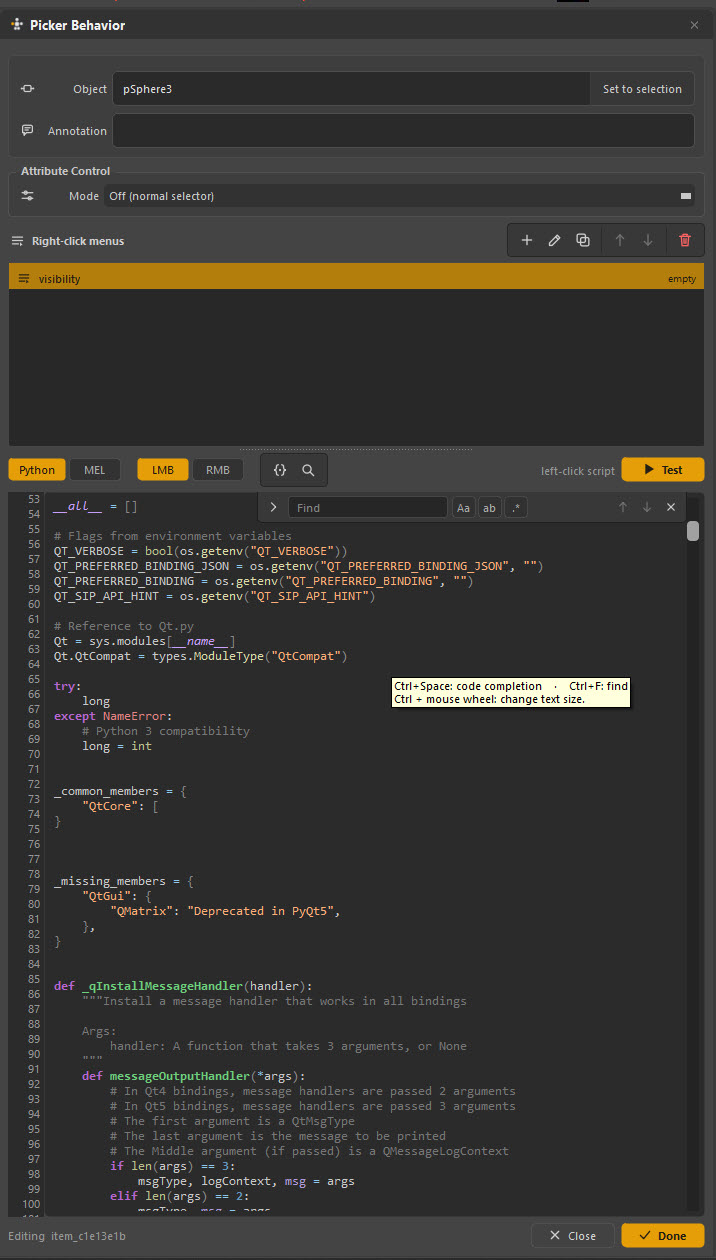
The per-item script editor with syntax highlighting, attaching Python to a picker item.

Per-item scripting

PY / MEL
Per-item scripting

Attach Python or MEL to any item, with a syntax editor and picker variables. There is also an API for opening the window from your own tools.
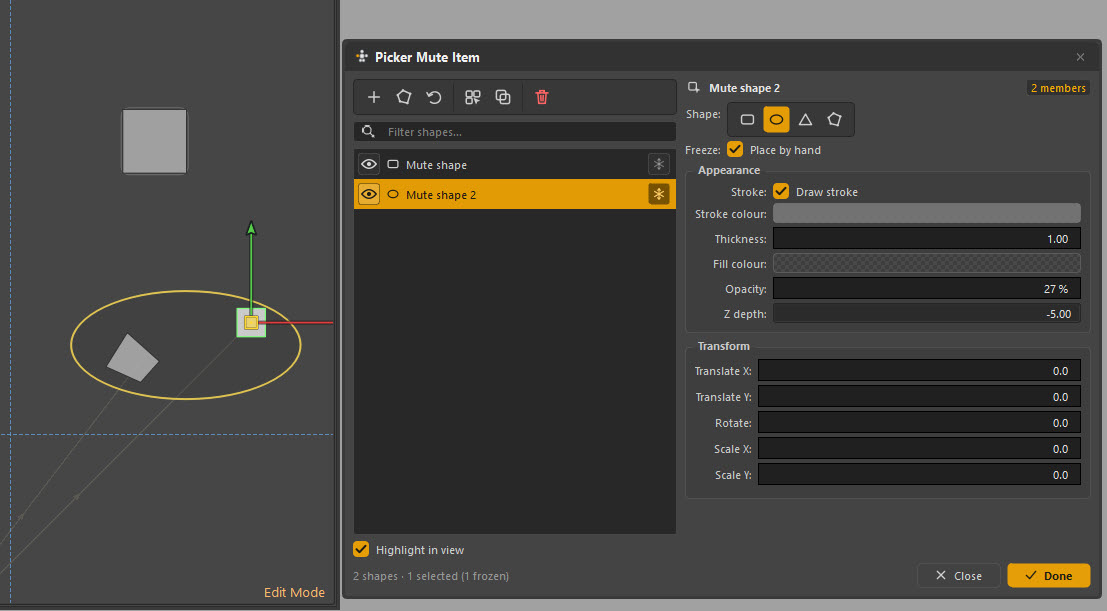
The mute shapes panel, marking decorative shapes as non-clickable on the picker canvas.

Mute shapes

DECOR
Mute shapes

Shapes that read as part of the drawing but are not clickable — outlines, dividers, the character's silhouette.
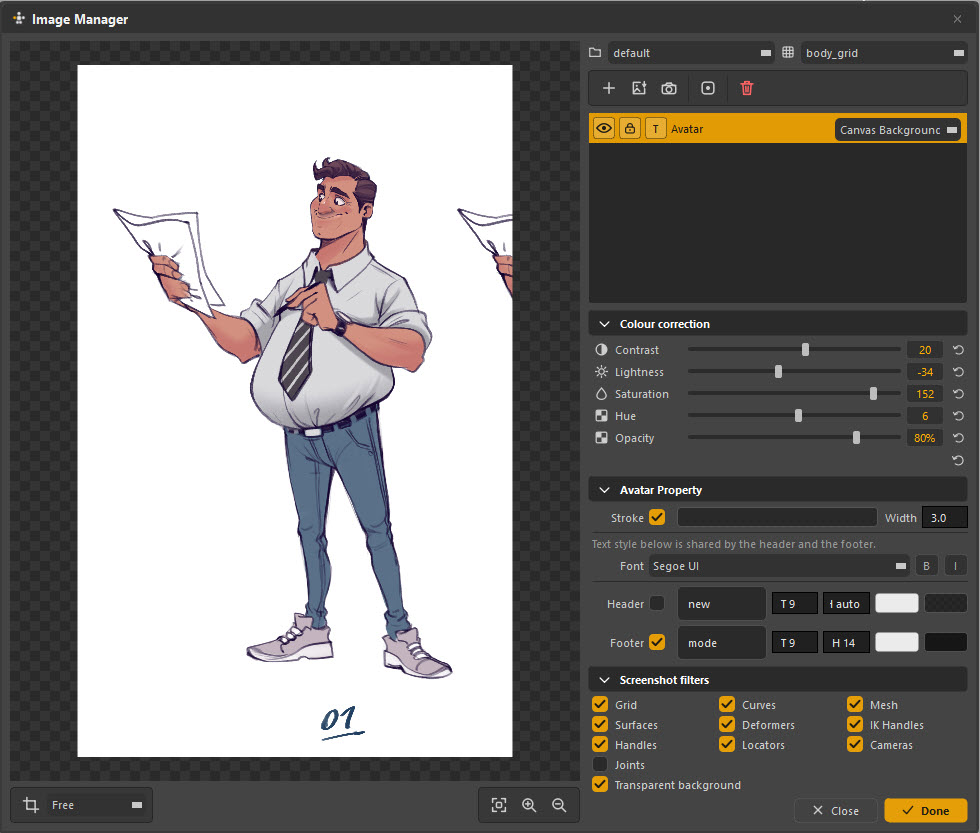
The image manager with colour-grading adjustment sliders applied to a background image on the picker canvas.

Image manager

GRADING
Image manager

Background artwork with colour grading built in, so a concept drawing sits behind the controls at the right weight.
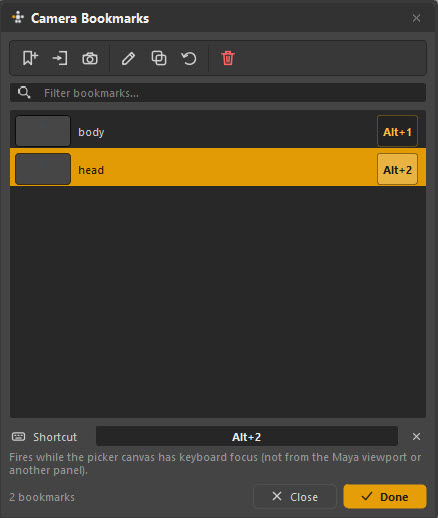
The camera bookmarks panel storing viewport positions on the picker.

Camera bookmarks

VIEWPORT
Camera bookmarks

Store viewport positions on the picker and return to them with a click, so the shot camera is one item away.
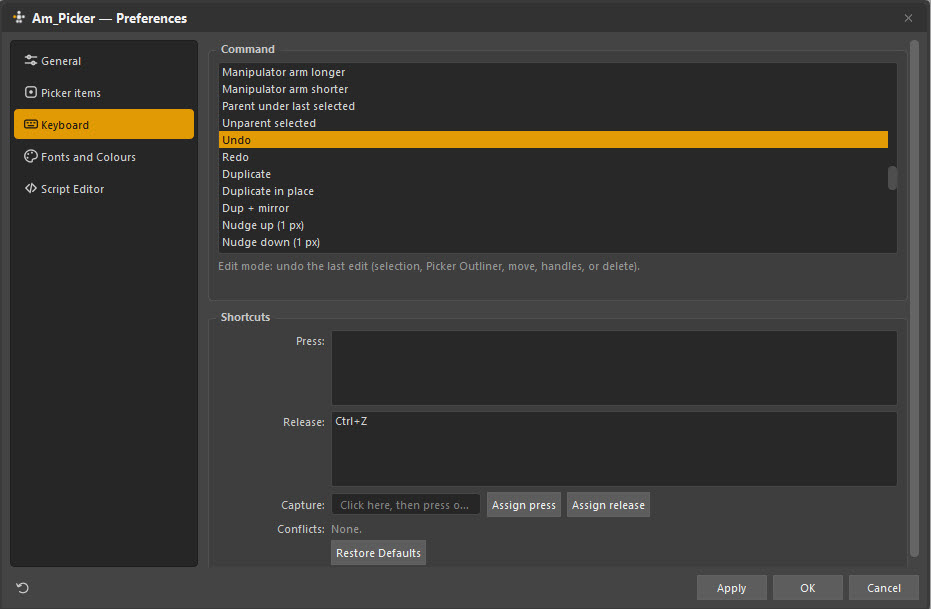
The keyboard preferences pane listing every shortcut with an editable binding for each.

Every key is yours

REBIND
Every key is yours

Rebind anything. The Quick start panel then reads your map back to you — it teaches your keys, not the defaults.

13 features · hover or tab through a card to read it

[ TWO MODES, ONE WINDOW ]

Built by one person. Used by everyone else.

Almost every editing tool is gated behind Edit mode, so an animator cannot move the furniture by accident. Same window, same picker — one keypress apart.

Am_Picker — Anim Mode
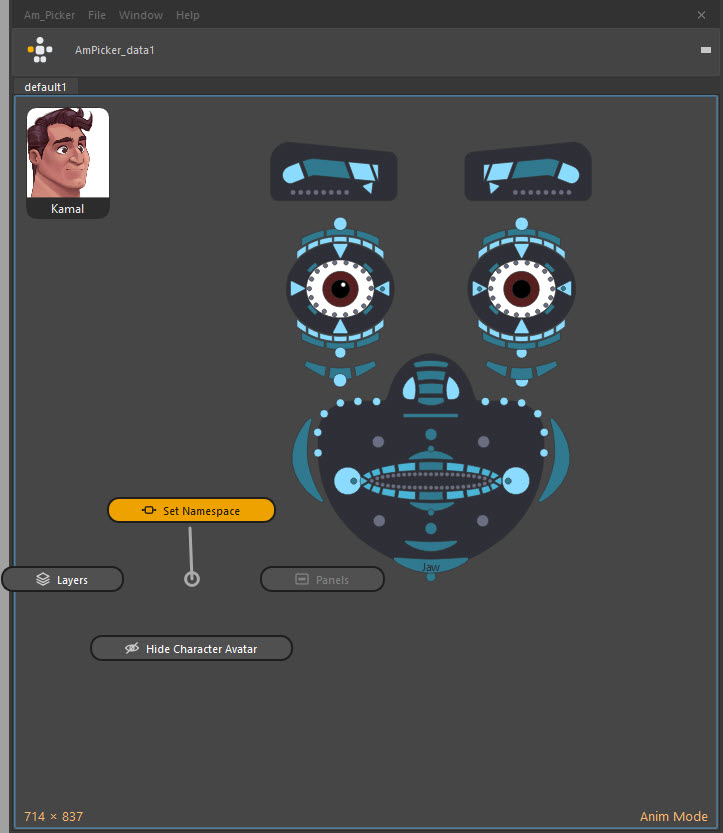
Am_Picker in Anim mode. The same face picker with no tool strip and no channel box — just the character avatar and the clickable shapes.

Anim mode is what the shot artist sees: click a shape, its controls select; select a control in Maya, its shape lights up. No grid, no tool strip, nothing draggable. Press Alt+W to swap.

[ WHY IT WORKS ]

Four things that make it worth installing

Draw it the way the character looks

Freehand polygons, pen-tool Bézier outlines, presets from a library — or artwork you already have. Trace a concept drawing, or import an SVG and get one picker item per outline, curves intact.

One picker, every copy of the rig

Items store their controls without a namespace, so a single picker file drives any referenced instance of the character. Pointing it at the right one is a single dialog — not a rebuild.

It lives with the scene

The picker is a node inside your Maya file, so it travels with the shot. It can also be exported as a self-contained .ampkr package, images included, for sharing between scenes and artists.

It is not only a selector

An item can drive a Maya attribute directly: drag it as a slider for an IK/FK blend, click it as a toggle, or pop an enum for a space switch. Any item can also run your own Python or MEL.

[ WHO IT’S FOR ]

Made for the people who open Maya every day

Animators

You were handed a picker. Open it, point it at your rig, and start selecting by clicking. Nothing to build and nothing to configure.

Riggers

You build it. Draw shapes, bind controls, arrange and colour, and hand over something that survives being used every day.

Technical artists

Per-item Python and MEL, items that drive attributes instead of selecting, and an API for opening the window from your own tools.

Small studios

One picker per character, stored in the scene, working across every referenced copy. No licence server, no seat count, no renewal.

[ INSTALL ]

Running in about thirty seconds

No installer to run as administrator, no folders to move, no environment variables.

Unzip it anywhere

Downloads, the desktop, a network share — it does not matter. Nothing reads from where you left it.

Drag one file into Maya

Drop drag_n_drop_install.py into a Maya viewport and press Install. It writes into the shared AM_Tools module and registers itself so it is there at every launch.

Click your new shelf button

It lands on whichever shelf you pick. Clicking it offers Anim Picker or Edit Picker. Removing Am_Picker later leaves your other AM tools exactly where they are.

Then read the documentation

Installing, building your first picker, every menu and every default key — written for the person using it, not for the code.

★ Free & MIT licensed

Download Am_Picker

Version 1.0.0-beta.1 · 1.8 MB · Maya 2022–2026 on Windows, macOS and Linux. No account, no licence key, no payment — now or later.

Why the email? So we can tell you if a release breaks something, and so the link is yours rather than a public file URL. One message now, and release notes only when there is a new am_picker release. Unsubscribe from any of them.

[ WHAT’S NEW ]

Still being built

Am_Picker tells you when there is a new version, and what it added — combining the notes of every release you skipped, not only the newest.

1.0.0-beta.1 beta
  • Pen tool — draw an outline anchor by anchor, curves included, straight on the canvas.
  • Vector to Picker — import an SVG and get its shapes, curves and all, as real picker items.
  • Check for Updates — Am_Picker now tells you when there is a new version, and what it added.
  • Drag-and-drop install — drop one file into Maya. You get a shelf button, and no folders to move.

[ FAQ ]

Questions worth answering

Yes, and there isn’t one. Am_Picker is MIT licensed: use it on paid work, change it, pass it on — just keep the notice, and expect no warranty. There is no paid tier, no seat count and no licence server. If it saves you time and you want to support the work, there is a donation link, and that is the entire business model.

Maya 2022 through 2026, on Windows, macOS and Linux. Both PySide2 and PySide6 are supported — whichever your Maya ships — and it runs on whatever Python that build embeds, 2.7 and 3.x alike.

No. Both are optional. NumPy speeds up image tracing, colour grading and the colour wheel; OpenCV adds extra edge-detection modes to Image to Picker. Every feature degrades gracefully without them — nothing disappears, some things are just slower.

Inside your Maya scene, as a node — AmPicker_data1 by default — so it travels with the shot and nothing needs re-linking. A scene can hold several, one per character. You can also export a picker as a self-contained .ampkr package with its images included, for sharing between scenes and artists; a picker that only ever lives in one scene never needs one.

Yes — that is the point of how binding works. Items store their controls without a namespace, so a single picker file drives any referenced instance of the character. Pointing it at the right one is a single Set Namespace dialog.

Almost every editing tool is gated behind Edit mode — gizmos, drawing, alignment, grids, the outliner, the channel box and the whole Window menu. In Anim mode there is no tool strip and nothing is draggable, so clicking around only ever selects.

Am_Picker checks once a day in the background, off the main thread, and stays silent when there is nothing to say or no connection. When there is an update it shows what changed across every release you skipped — not just the newest. You can skip a version or ask to be reminded later, and the decision sticks. There is also a Stable / Beta channel switch; beta receives prereleases and stable releases both.

Two honest reasons: so the download link belongs to you rather than being a permanent public file URL, and so we can reach you if a release turns out to break something. You get one message now and release notes when there is a release. No account is created, and you can unsubscribe from any message.

Help → Report a Bug or Suggestion inside the tool opens the contact form on this site. The About window has a one-click copy of the build information worth attaching — version, channel, Maya, Python, Qt and install path.