Palette generators
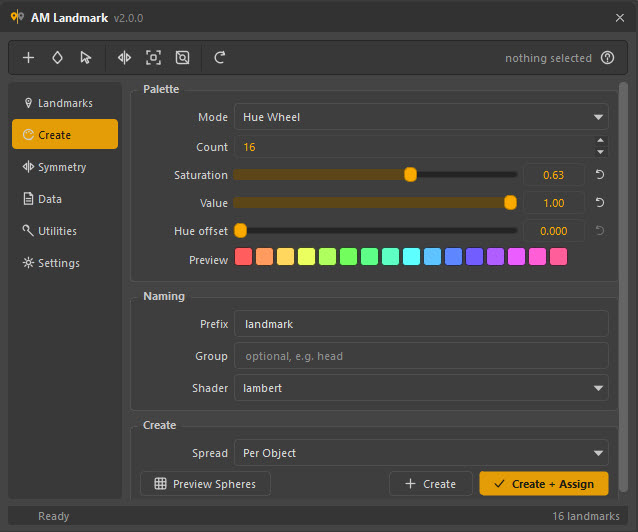
5 MODESHue wheel, golden-ratio Distinct, two-colour ramp, five harmony schemes, and random colours rejected until they clear a minimum perceptual distance. Previewed live, before anything is created.
AM Landmark turns flat, named colours into a working layer on top of your geometry. Paint the regions once — jaw line, brow ridge, the seam you keep losing — mirror them to the other side, and carry the whole pass to the next scene as a file.
Version 2.0.0 Maya 2020+ One-time $25 No dependencies
[ THE PROBLEM ]
[ FEATURES ]
No add-ons, no tiers, no upsell. Hover a card to read what it does.
Hue wheel, golden-ratio Distinct, two-colour ramp, five harmony schemes, and random colours rejected until they clear a minimum perceptual distance. Previewed live, before anything is created.
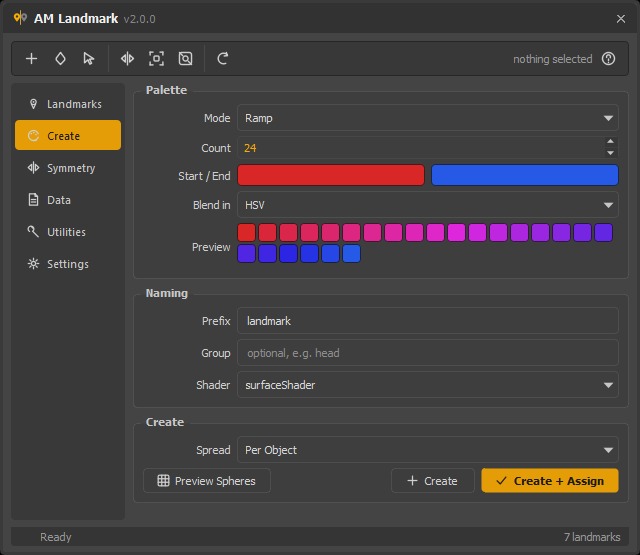
Interpolate between two colours in HSV, RGB or linear RGB. Red to blue travels through magenta rather than through mud — and a greyscale endpoint borrows the other end's hue instead of sweeping the whole wheel.
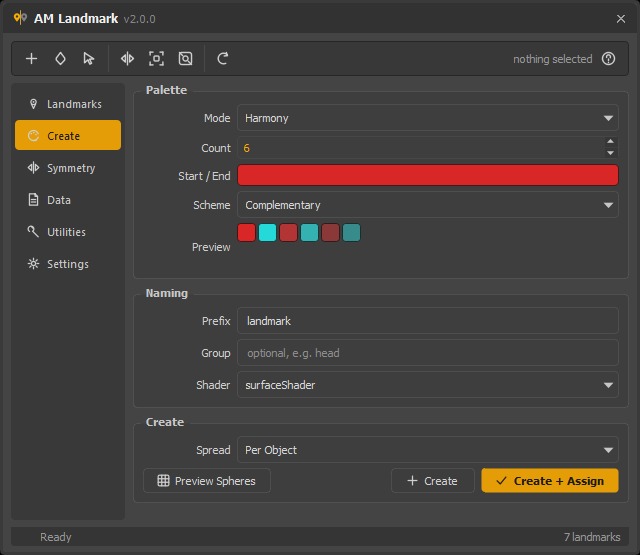
Complementary, analogous, triadic, tetradic and split-complementary, built from one colour you pick. For a pass that has to sit in a screenshot next to the rest of the shot and not fight it.
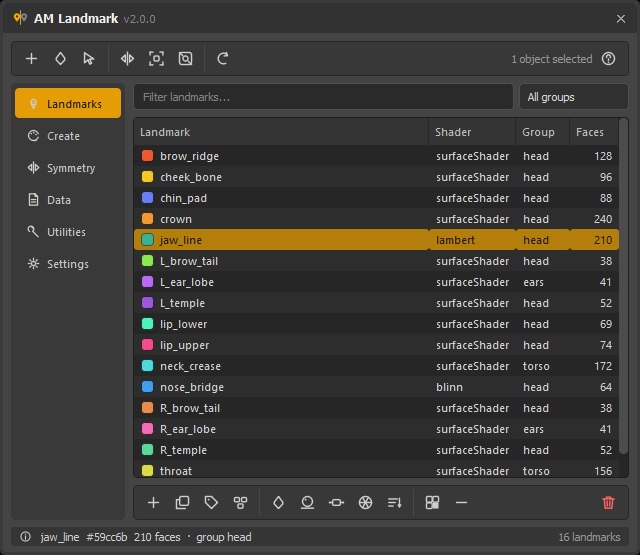
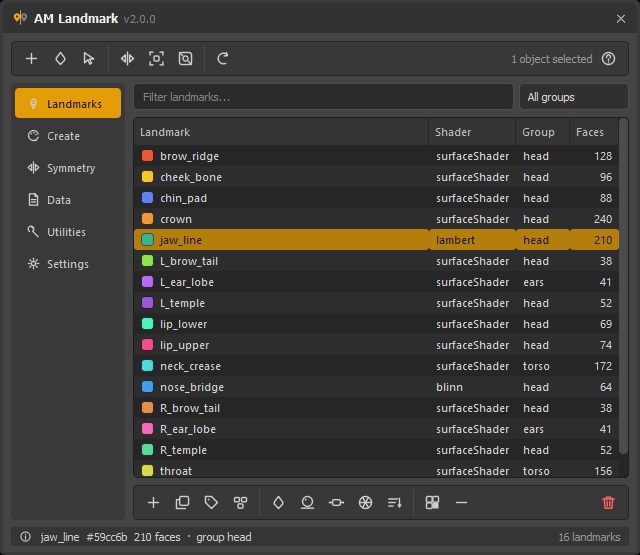
Every mark in the scene, with the colour, the shader type, the group and how many faces are wearing it right now. Filter by name, filter by group, sort by any column, rename in place.
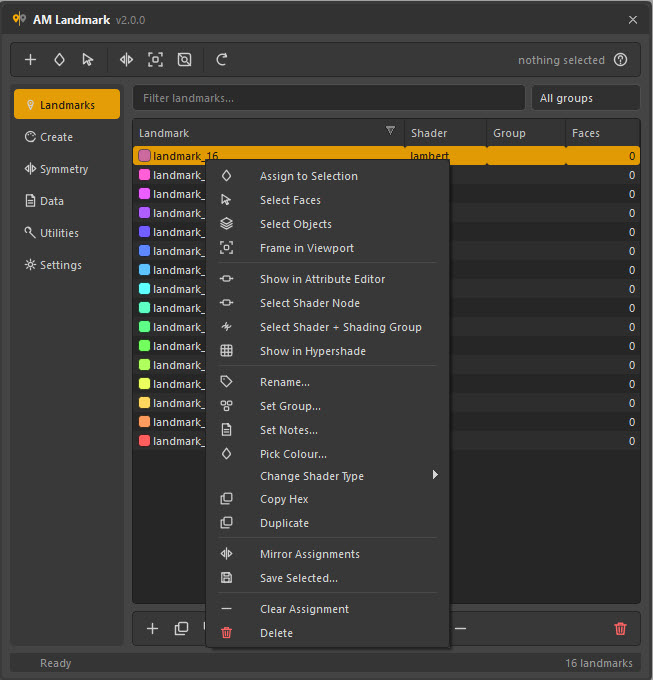
Assign, select faces, select the objects, frame, isolate, rename, group, notes, colour, duplicate, mirror, save — and the shader node itself, for the Attribute Editor.
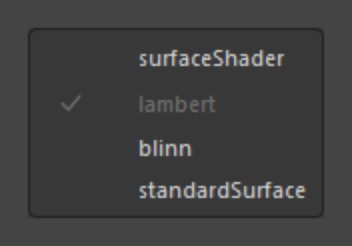
Start flat on a surfaceShader, convert to lambert, blinn or standardSurface when it has to sit in a lit render. Faces belong to the shading group, so the assignment survives — a 40 000-face landmark converts as fast as an empty one.
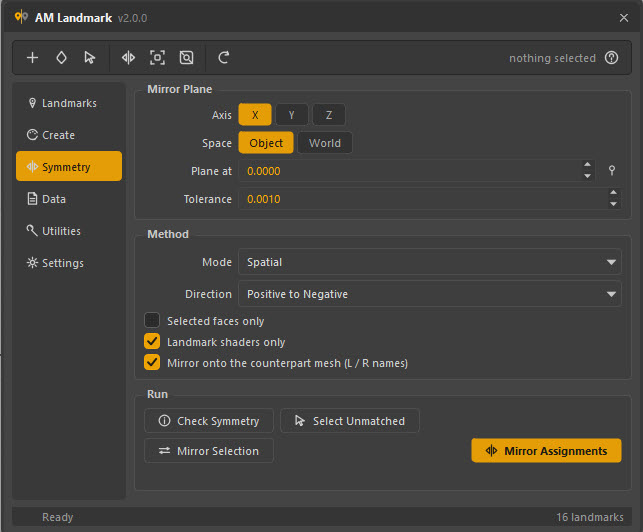
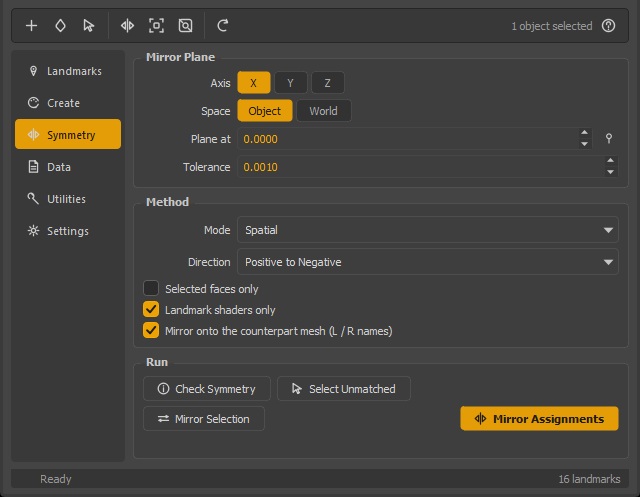
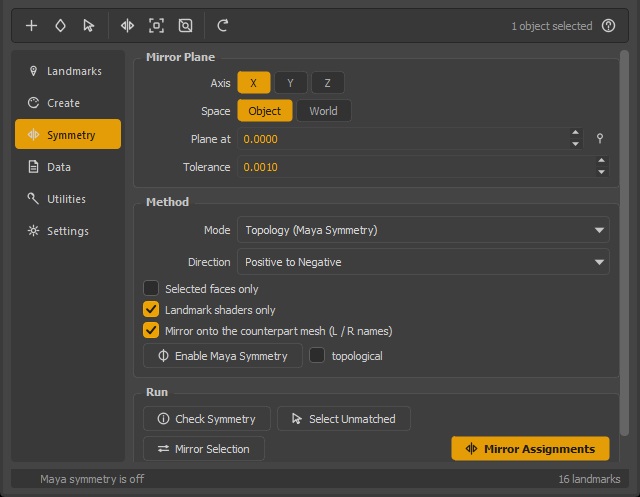
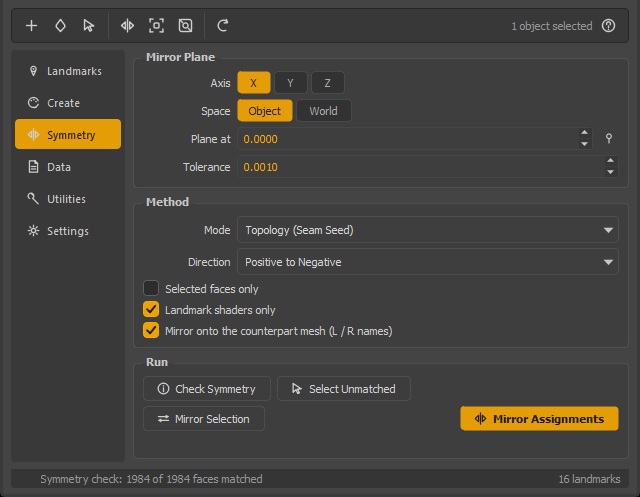
Mark one side, get both. Axis, space, plane position and tolerance; positive to negative, negative to positive, or a true two-way swap; and a counterpart-mesh mode that follows L_ / R_ names onto the other mesh.
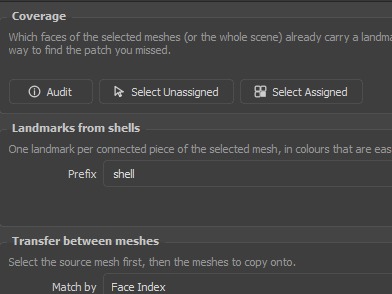
3 214 of 3 968 faces carry a landmark. Then Select Unassigned puts the gap in your hands — instead of flying around the model looking for grey.
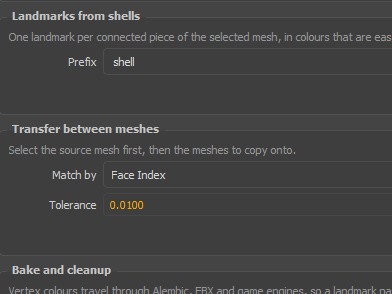
A prop already modelled in pieces becomes a finished pass in one press: one landmark per connected piece, in colours chosen to be easy to tell apart. Underneath it, Transfer copies a whole pass from one mesh onto another.
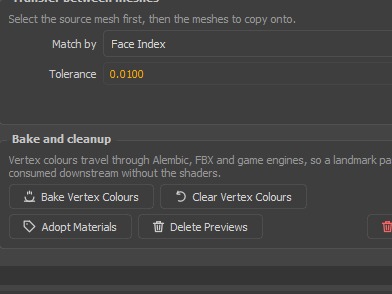
Vertex colours travel through Alembic, FBX and every game engine, so a pass authored here can be consumed downstream with no shaders at all. The round trip works too: geometry that comes home carrying only colours becomes landmarks again.
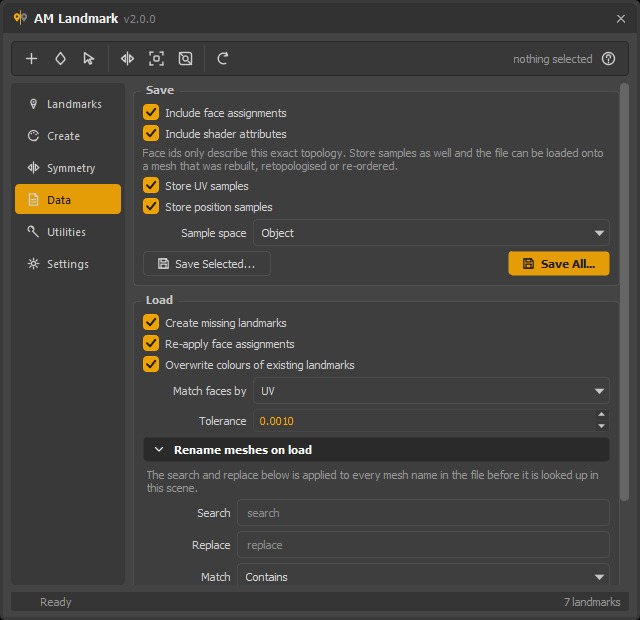
A saved pass can carry a UV and a position per face, so it loads onto a mesh that was retopologised, rebuilt or re-ordered — not only onto the one it was written from.
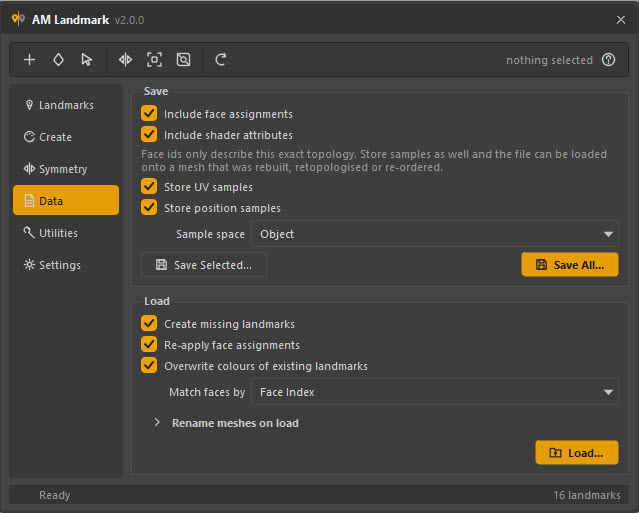
Search and replace, prefix, suffix or regex on every mesh name in the file, plus namespaces added or stripped — so a pass saved from a referenced rig loads onto a clean model, and back again.
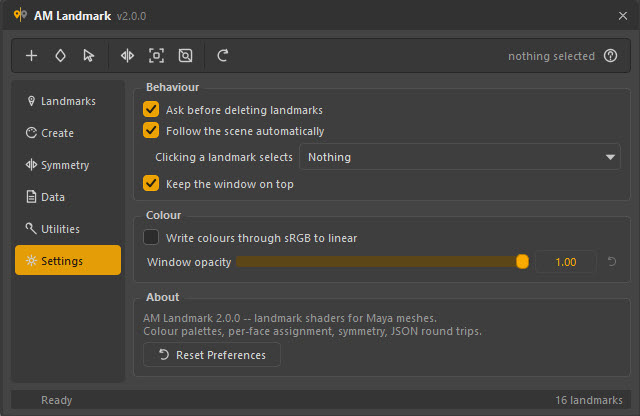
A shader plug holds linear values when colour management is on, while the swatch you picked is sRGB. One switch converts on the way in and back on the way out — off by default, because a flat marker wants the value you actually picked.
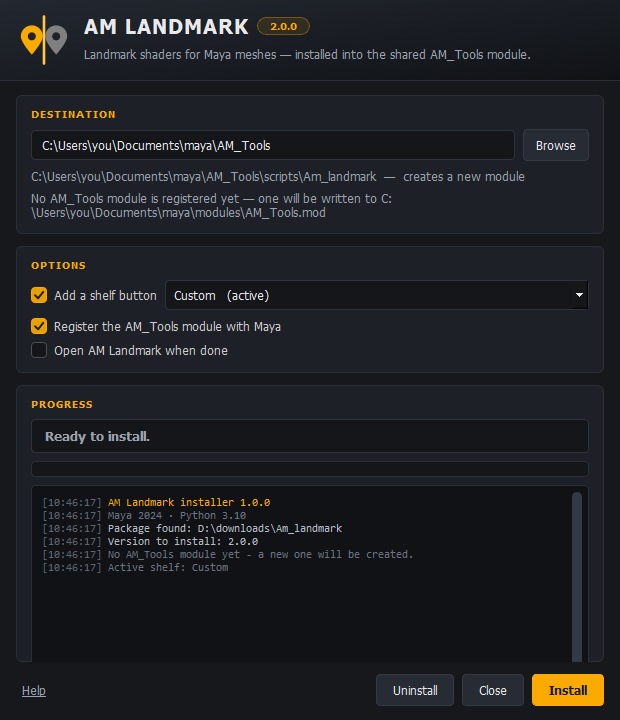
One file into a viewport. It installs into AM_Tools — the module every AM tool shares — adopts one that already exists rather than building a second, and finds the stale .mod files that would otherwise hide it.
14 features · hover or tab through a card to read it
[ COLOUR ]
Hues stepped by the golden ratio, so the first N of the sequence stay well separated for every N — adding a seventeenth landmark never means recolouring the first sixteen. Saturation and value are nudged on alternating entries, because pure hue rotation starts to repeat visually past about a dozen swatches on a grey viewport.
[ SYMMETRY ]
No single one is right for every asset, so all three are in the box — and Check Symmetry tells you which of them will work on this mesh before you commit to a mirror.
[ WHY IT WORKS ]
Every landmark is an ordinary Maya shader carrying a small tag. It shows in the viewport, saves with the scene, and any other tool that understands Maya shading understands it. The tag is the only thing this tool adds — and it is what stops the tool from ever mistaking one of your materials for its own.
Match by geometry, by Maya’s own symmetry, or by walking the mesh topology outward from its seam edge — the last of which keeps pairing correctly on a mesh deformed far away from its symmetry plane. And it counts what it could not pair, instead of quietly skipping it.
Face ids only mean something on the topology they were written from, so a saved pass can also carry a UV and a position for every marked face. Load it back after a retopology, after a rebuild, or onto geometry that came home from another package carrying nothing but vertex colours.
The whole feature set lives in a layer that never imports Qt, so a shelf button, a batch job or another tool can create landmarks, assign them, mirror them and bake them with no window ever built. Every operation is one undo step, including one that fails half-way.
[ WHO IT’S FOR ]
Mark the areas under review, the parts that are finished, and the ones somebody else asked you to change — in the viewport, where the conversation actually happens.
Block out skinning regions before you paint a single weight, mirror them with the rig’s own symmetry, and hand the same map to whoever inherits the character.
Region masks that survive a retopology and bake straight to vertex colours, so the same map drives a shader network or an engine material.
A Python layer with no Qt import: load a pass onto a published model in batch, audit coverage, bake, and save — as one step in a publish.
[ INSTALL ]
No installer to run as administrator, no folders to move, no environment variables.
Downloads, the desktop, a network share — it does not matter. Nothing reads from where you left it.
Drop drag_n_drop_install.py into a Maya viewport and press Install. It writes into the shared AM_Tools module and registers itself so it is there at every launch — and adopts an AM_Tools module you already have rather than building a second one.
It lands on whichever shelf you pick, and everything is live in the session you are already in — no restart. Removing AM Landmark later leaves your other AM tools exactly where they are.
Installing, your first landmark pass, every page, every preference and the Python API — written for the person using it, not for the code.
Version 2.0.0 · Maya 2020–2026 on Windows, macOS and Linux. Buy it once; there is no subscription and no renewal.
$25one-time
What happens next. Payment and delivery are handled by Gumroad. The download and your licence key arrive by email as soon as the purchase clears — no account to create here, and no waiting on us.
[ THIS RELEASE ]
A window, a scriptable layer under it that never imports Qt, and 175 tests standing behind both.
L_/R_ name, and a check that reports before you commit.AM_Tools module.[ FAQ ]
The complete tool, for $25, once. There is no higher tier holding a feature back, no per-seat count, no subscription and no renewal date. It is licensed for commercial work, so a pass you author with it belongs to you and to your client. Payment goes through Gumroad, and the download and licence key are emailed to you the moment it clears.
No. It creates its own shaders and only ever edits, renames or deletes shaders carrying its own tag. Default materials, referenced nodes and locked nodes are refused outright, everywhere in the tool. The one exception is one you ask for: Adopt Materials tags materials you already have so the list can manage them — it asks first, lists what it is about to adopt, and changes nothing but the tag.
Maya 2020 and newer, on Windows, macOS and Linux. Both PySide2 and PySide6 are supported — whichever your Maya ships — and it runs on whatever Python that build embeds, 2.7 and 3.x alike. There are no third-party dependencies at all: no NumPy, no downloads, no network access at any point.
Nothing special — they are Maya shaders and shading assignments, so they are saved exactly like any other shading in the file. Open the scene in a Maya without this tool installed and you have shaders with four extra attributes and a normal assignment: everything still renders, everything still selects.
If you saved it with samples — on by default — yes. Load it back by UV if the new mesh shares the UV layout, or by Position if it does not but is roughly the same shape. If you saved face ids only, the pass belongs to the topology it was made on, and the loader says so rather than silently landing on the wrong faces.
Bake Vertex Colours writes each landmark’s colour into the mesh’s vertex colours, which travel through Alembic, FBX and every engine. The round trip works too: geometry that comes back carrying only vertex colours can be turned into landmarks again by loading the pass with Match faces by → Colour Set.
No, and not because of this tool: a face has exactly one shading assignment in Maya. Assigning a second landmark to it moves it. If you need a second axis of organisation, landmarks have groups — a mark can be filed under one and still mean several things.
Because the default shader type is surfaceShader, which ignores lighting — so the swatch in the tool and the region on the model are the same colour, which is the entire job of a marker. Under a lambert, one landmark reads as three different colours across a curved surface. If you want them lit anyway, convert them; the assignment survives.
No. Landmarks are per polygon face, and a NURBS surface has none to assign to. Convert to polygons, or assign the shader to the whole object by hand in Maya.
Into AM_Tools, one Maya module shared by every tool from here. If you already have one the installer adopts it — only scripts/Am_landmark and this tool’s icon are touched, and uninstalling leaves the rest alone. It also reads every .mod file Maya can see and offers to switch off duplicate AM_Tools declarations, because Maya honours the first it finds and drops the rest without a word.
The same way you got it onto the first: the Gumroad receipt in your inbox is a permanent download link, and your licence key does not care which machine it is typed on. A purchase is per artist, not per workstation — your desktop, your laptop and the render box you use are all the same person working.